


Do you need access to technology?
Computers at RML:
- RML has five public computers that you can use for research, productivity, and printing. Sign on using your library card –or request a guest pass from the library staff.
- The computers do not have Microsoft Office but they do have LibreOffice, a free suite of programs that you can open your MS Office documents with!
Printing, Scanning and Faxes:
- RML has a printer/scanner/fax machine for patron use. The first 50 cents of copying is free.
- Black and White copies are 25 cents each.
- Color copies are 50 cents each
- Toll free faxes are free. Otherwise, it’s $1.00 a page.
Laptop ConneCT Program:
- Get connected with a laptop from Richmond Memorial Library.
- Qualifying residents can get a laptop while availability lasts. See our RML Laptop ConneCT page for more information and the application.
Would you like to see what technology items you may borrow?
- Check out our Library of Things!
Do you need technology assistance?
Have an issue with library apps, your laptop, need help with your smartphone, or a new device that needs to be set up? The RML Outreach/Tech Specialist is here to help!
RML’s Outreach/Tech Specialist can assist in the following areas:
- Using Library Apps and Digital services
- Libby/Overdrive, Palace Project, Blackstone Unlimited Audio, Library Connection Mobile (LCI) app and use of our other online resources
- Accessing emails or accounts
- New device set up
- Internet Safety and Security
- Digital Skills Training
- We teach basic digital skills related to a wide variety of devices and applications through one-on-one appointments or once a month in our Tech Tuesday evening program
- Technical Support: We can help solve minor technical issues you may be having with your devices or with the publicly available devices at the Richmond Memorial Library*
*Please note we cannot troubleshoot or fix malfunctioning devices, assist with viruses or virus software, do hardware installs or repairs, or deal with anything to do with credit card/financial transactions.
Tech Tuesday Evening Workshops:
- Check our library home page or events calendar and register online for our evening tech related programs
- Past tech topics have included: Fact or Fiction, Online Scams, Mastering Graphic Design in Canva, Using Linked In, Using Library Subscription Resources, Cut the Cord, Travel Tech, Introduction to Artificial Intelligence
One on One Help:
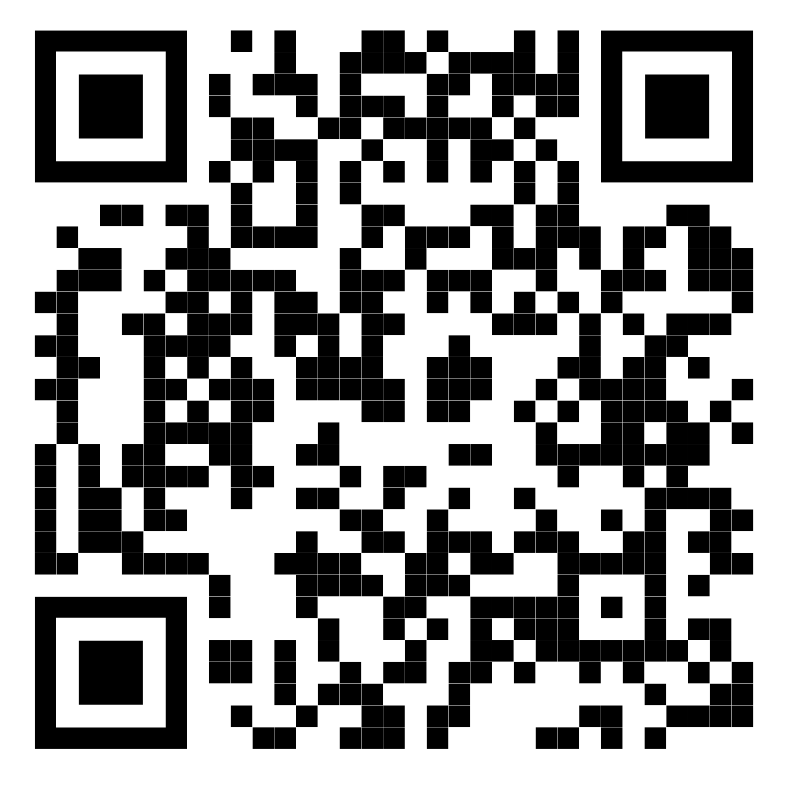
- Request a 30 minute appointment (Tuesday, Wednesday, or Thursday) by scanning the QR Code below or booking online through our Book a Tech Appointment form
- Contact RML’s Tech Specialist: Call: 860-295-6210 or Email: richmemliboutreach@gmail.com
Would you like to learn more about technology?
Online Learning: Self-Paced Tutorials and Technology Learning Resources:
- LearnFree.org – Build practical skills with clear, self-paced courses and lessons you can start anytime, always for free.
- DigitalLearn.org – A Public Library Association curated collection of free course materials you can use for in-person digital literacy courses.
- Tech Life Unity – Tech Life Unity has free video tutorials on YouTube that teaches technology users of all ages and skill levels how to use technology, especially the most popular websites, apps, and online tools.
- Google’s Applied Digital Skills Lessons – Teach and learn practical digital skills needed for the jobs of today and tomorrow with free video lessons.
- Microsoft offers free online tutorials for MS Word, PowerPoint, Excel, Access, AI and more
- Today at Apple – Apple offers free, hands-on learning sessions and workshops called Today at Apple at local Apple Stores, including introductory and feature-focused courses for the iPhone.
- National Digital Inclusion Alliance – An organization advancing digital equity by connecting organizations, supporting community programming, and equipping policymakers to act.
